CPMStar Ad

Naughty Who @ indiedb
Showing posts with label game development. Show all posts

Thursday, March 24, 2016

Virtual Reality Tips for Engineers and Developers


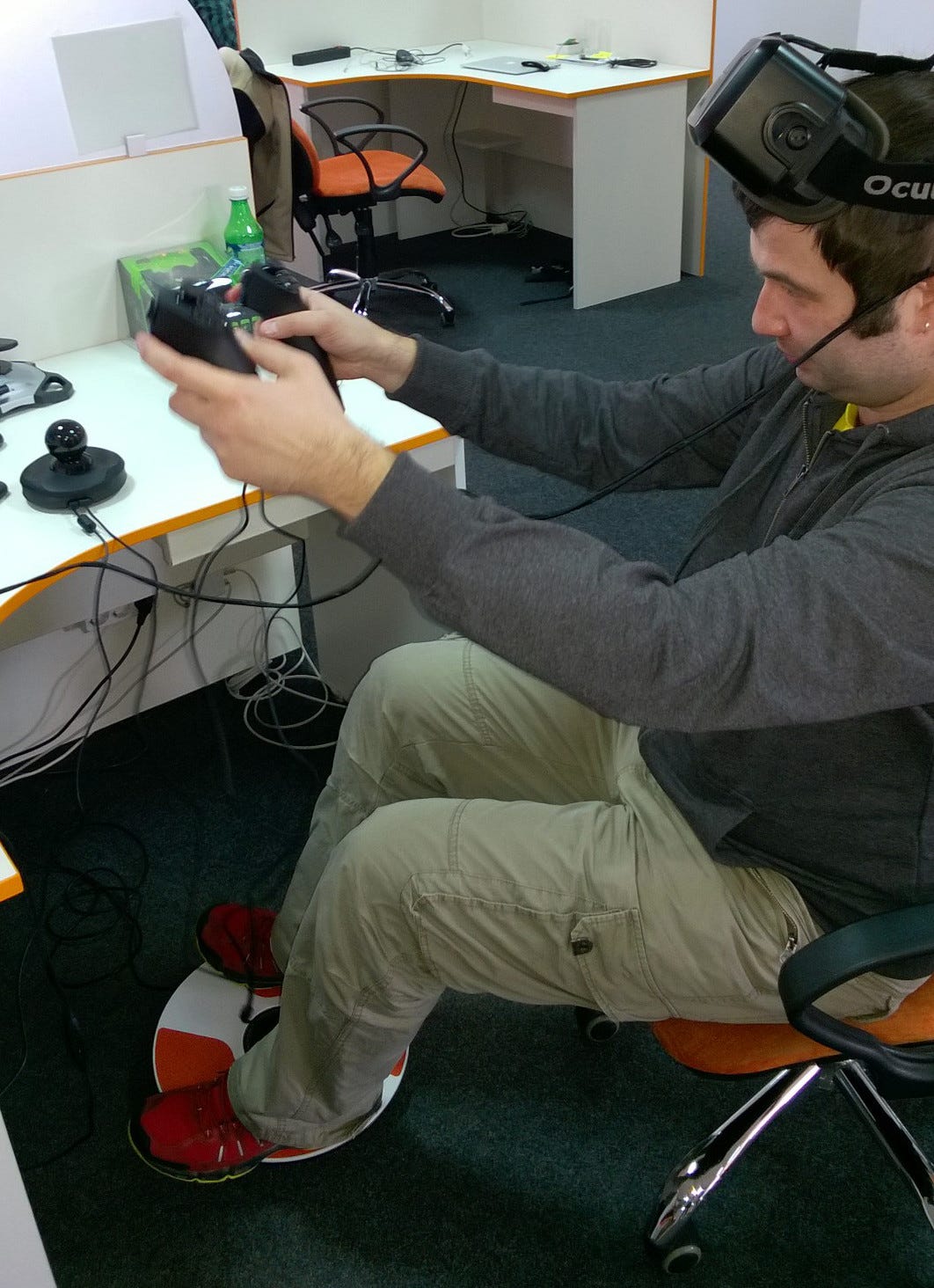
Virtual Reality is trending recently and there is a lot of info all over the web about it naturally. The articles are divided into two categories mostly scientific/engineering docs at Oculus, Unity, UnrealEngine, Samsung GearVR and Google Cardboard or developers/studious postmortems like it was hard and we found the way: How devs deal with 4 problem areas in VR game design, Making Great VR: Six Lessons Learned From I Expect You To Die or like it’s going to be cool when proper: Game UI Discoveries: What Players Want. Also I’ve found good practical book Learning Virtual Reality by Tony Parisi and I’m sure It must be more. But mostly it’s still theoretical info.
I was working on VR R&D projects for last several month. We’ve made demos for Oculus Rift on PC, Google Cardboard on iOS and Samsung GearVR on Android with Unity C# and Unreal Engine C++ for Oculus Rift and worked on kind of AAA game. The article is going to be pretty twisted in the best R&D traditions. I’ve parsed tons of info mentioned above, found a lot of practical useful info and tips in tutorials, answers, forums, blogs and so on and going to gather it here and share. Info is recollected from my work_done and to_read lists, so I guess nothing is going to be missed.

Wednesday, October 29, 2014

R&D for Mobile Game Development

I haven't coded two of our latest games and now, one is on App Store and Google Play, here is browser version with links to mobile and the other is going to be available at FGL pretty soon. Now I go further I haven't tested technologies just set a task, publishing demos, sharing impressions and conclusions :) Now I can be called R&D manager for sure :P

The task is to get our next games work properly in Browser, on iOS, Android and Windows Phone. The last requirement makes AIR not a variant, so in focus HTML5+JavaScript and Unity. We made AIR/Flash based performance test demo too anyway. Also Visual Studio was involved %)

The laziest and easiest solution is PhoneGap

https://build.phonegap.com/apps/598805/builds

Tuesday, October 14, 2014

[gamedev] Unity 4 Game Development Hotshot #book #review

 http://amzn.to/1yyMJ4n

Unity 4 Game Development Hotshot is another interesting book about game development in Unity3D. In my opinion its book was written probably for developers who'd already got some minimal experience with the environment. It's not a problem and can be fixed in some hours with first steps learning.

Monday, May 5, 2014

[unity] Project Naughty Who?: Splash Screen #design

We've got splash screen for our upcoming game Project Naughty Who? finally :) What do You think? (variant 1)

(variant 2)
(variant 3)

[Updated] Added two more variations up to Your feedback. Which one?

 (variant 4)

 [Updated 2] I guess this one is the best, are You with me?

Thanks :)

Friday, April 25, 2014

[unity] Project Naughty Who?: #GameDev Mixer - April


Let's make presentation in an experimental format directly in blog. Demo video and and demo build going to be added after the session, speech itself and answers to questions are of value to attend ;)

See You today 2014-04025 16:30 EET @ #GameDev Mixer - April @ Communa :)

Follow me about.me/real7a and keep in touch ;)
  1. HTML5 games/portals m.eplusgames.net & m2.eplusgames.net
  2. Unity #GameDev first impressions and further articles
  3. Project Naughty Who?: FPS is for First Person Slasher. We are working on cooking portal so food theme is natural ;)
  • Platforms: mobile Windows Phone, Android, iOS using accelerometer and browser
  • Casual and addicting 3D FPS :)
  • Kids and fun
  • Game screens
 

Friday, April 11, 2014

[unity] API #gamedev


While working with Unity API I noticed a couple of small details, which can complicate your life if you're not quite ready for them.

1. The fact that there's no such simple function like stop the animation while you're working with animated objects (Unity 4.3) was most surprising. Fulfilling this mechanism requires some workaround, for example, you can set the playing speed at 0.  Shame on Unity J

2. It also turned out, that you cannot find out the name of the animation, which is played on the object at the moment. I had to write my own lisp for memorizing that.

GUI was and still is difficult for me, as there are many ways of creating it and none of them is perfect (at least it seems so so far). Meanwhile I realized the main part of the interface on a standard class GUI, however it has a couple of defects there too.

3. There's no parameter, which could allow to block the editing possibility in TextArea. Of course, you can use Label instead of TextArea, but they could have finished doing such a small thing

4. For today the line spacing control isn't realized and that's a big disadvantage of GUI, more workabout: you need to draw separate labels or change the fonts – shame on Unity once more)

5. The evenness of the image ofted depends from the war with DrawCall. From experience with Starling – half of this task was was solved through merging the textures into a texture atlas. After studying API I found a function like GUI. DrawTextureWithTexCoords, basically it's meant for drawing textures from such atlases, but unfortunately it does not reduce their amount and each call += DrawCall.

Hope it helps :)

Friday, March 28, 2014

Friday, February 21, 2014

Tuesday, February 18, 2014

[unity] Text and Fonts #gamedev


Unity has more then enough ways of text output.
The easiest is – GUIText. The simplest way is to create it directly in the editor (GameObject -> Create Other -> GUI Text), then attach a script for the guiText field to it, which will allow to change the parameters of position, style etc. There is an even easier way – choose the GUI.Label(rect,string) in the OnGUI() function.I won’t put an emphasis on coding and I want to mention the next key moments:

[unity] Project Naughty Who?: Character Design #gamedev

Green or Red?

Wednesday, February 12, 2014

[unity] Accelerometer #gamedev

More and more progress with our new #mobile #game on #Unity and we are close to one #gamedev related article per week :) Today let's discover accelerometer.


Tuesday, January 28, 2014

[unity] The Dark Side of Unity #gamedev

We've done a large part of work on our first game on Unity to lose First Impressions prefix for article and to get not positive impressions only %)

Unity programming slowly but steadily becomes more and more like hell. The reason is the really unstable functioning of MonoDevelop (version 4.0.1).
- IDE in some cases is irresponsive and the simple switching for another window and back can take a couple of seconds. However, that is bearable. It’s much worse, when the text scroll stops working all of a sudden or the autosuggestion disappears and the scroll position can change after saving – such small bugs never existed in FlashDevelop. Well, those things can be lived with too, but when it comes to debugging real trouble begins.

Monday, November 25, 2013

[R&D] Unity First Impressions #3 #gamedev

We've in progress with a new Unity #game for mobile devices. Working on gameplay with early #prototype and sharing more first impressions.

We can't share a demo and material on #game it so some funny stuff instead  and more funny stuff in the end of article ;)

  1. Development in unity is specified for the desktop, but when it comes to mobile devices, small problems that complicate the process and increase the testing time appear. I wasn’t able to find a way to emulate gyroscope accelerometer data etc. while testing in the editor itself. It all comes down to a long compilation process and then you still need to transfer everything to a devise or an emulator, which also takes more than enough time. Another thing that’s even more uncomfortable is editing the touch events, because they cannot be emulated with the cursor. A problem like that did not exist in the Flash+Starling. In fact, there was even a gesture emulation. Here you need to work with what you have. In other words, to use the keyboard and come up with something else. If you want to check the click through rate of the desktop objects, you’ll have to write a similar code, that reacts to the movement of the cursor with the pressed down button. By the way, if you write a code, optimized for multitouch, for pressing more than one button at the same time, during the reaction realization only one will work. It means that you’ll have to write a code for touch tracking anyway and there isn’t a way to make sure if it works in the editor during the quick launch, only after a long compilation and installation process. Long story short, there’s enough trouble.
  1. When working with 2D gui objects, the incomprehensible coordinate system with the beginning in the center of the screen brings more problems. What I mean is that a point, which in the standard screen coordinate system is located in the upper left corner of the screen and its coordinates are (0:0), will have (-Screen.width/2 ; Screen.height/2) coordinates in the unity system. That doesn’t seem to be quite comfortable :) Maybe I just haven’t found a way to change the coordinate origin settings yet and everything is a lot more simpler. By the way, 2d elements can be set in the 3d coordinate system. Then the location on the screen can be measured with the floating point number from 0 to 1 and it automatically redraws after you change the screen size. It’s cool, but not when you need a pixel accuracy.
  1. I almost managed to repeat the Flash application structure by operating the process from one class (a sort of Main). To do that, you just need to create an Empty GameObject and attach the code to it.
  1. There’s also a lack of such ActionScript feature as the addEventListener. For a class, inherited from MonoBehaviour, there’s a possibility to reload the functions, that are called at specific events. There’s a lot of them (https://docs.unity3d.com/Documentation/ScriptReference/MonoBehaviour.html). You could say, that there’s one for every occasion, including the events, that react to collisions with other 3d or 2d objects, the beginning and the end of render, cursor click etc. However, there’s one negative side: if you need to track an event for many objects on the scene, you won’t be able to do that with a simple addEventListener line in the cycle. There’s more than one way out of this situation, but none of them is that simple. Such solutions aren’t good enough, if you need to quickly create something new and check if it works without fixating on the realization of such mechanism.
  1. Unlike the MovieClip with one main class, the object in unity and prefab can have as many classes like that as you like. It’s really cool and handy. You can add a code while the program is running and in flash it was impossible. Access to such class: while in MovieClip we’re working directly with variables and methods, in unity GameObject we’ll have to use the GetComponent function. It looks something like this: (myGameObj.GetComponent("sizeClass") as sizeClass).width = 500;  you can save the link in the variable, so that there’s no need to invoke it every time. It codes well)))
  1. The physics is great and simple to use. It saves time during prototype creation and especially things like inert object moving and their collision. Before in most cases mechanics like that had to be written manually or you needed an external framework. Here there’s no additional installations and complications. It’s enough to watch a couple of video lessons to make a judgment about the simplicity of physics http://unity3d.com/learn/tutorials/modules/beginner/physics
We've got a demo, working on features and playability but with unique gameplay can't show it as I've told before. So instead of sketches I thought to share funny and completely unplayable demo of Angry Birds in 3D (Web and Android Builds).

Also I'm still planning to expand Unity on Windows Phone impressions in previous article R&D for Moblile Game Development.

Previous parts of this article are here [R&D] Unity First Impressions #2 #gamedev and here [R&D] Unity First Impressions #1 #gamedev

That’s all for now, see You soon :)

Wednesday, November 20, 2013

[R&D] Unity First Impressions #2 #gamedev

We've started up with a new Unity #game for mobile devices recently. Working on #tech demo/#prototype and sharing more first impressions.

http://www.google.com.ua/url?sa=t&rct=j&q=&esrc=s&source=web&cd=1&cad=rja&ved=0CCoQFjAA&url=http%3A%2F%2Funity3d.com%2F&ei=vciMUvS-Hs2jhgfOu4H4BA&usg=AFQjCNGmV9YAkS7AoqarqxS54m_ToZ_ZMQ&sig2=vf0_xyoy2ErfBRmIaX5XPQ&bvm=bv.56643336,d.ZG4
  1. What I like most is good documentation. The video lessons from their official site were enough for the beginning. Now I’m also watching the lessons here http://www.unity3dstudent.com/category/modules/ . The examples on this site are only on Js. It would seem to be uncomfortable if you want to write on C#, but you can easily write a code of equal value on both languages and the best part is that scripts on unity can be also written on both of them and they will work together without any problems)) I’m not sure yet which language to choose. JS is kind of closer to flash, but C# is easier to read when it comes to large amounts of code. I hope I’ll decide soon.

  2. The most complicated thing so far is to understand the unity application structure itself. At some points it crosses path’s with flash and is complicated by 3d frills. It’s hard at the very beginning, because after working with 2d graphics it was a little unusual that you need to at least set the lights for the scene, or else it will be dark like in… )) After 2d, it’s also hard to allocate objects in 3d space. A simple drag-and-drop with the cursor doesn’t always work. Sometimes you’ll have to switch between different projections and drag the object in each one of them.
     
  3. It’s important to understand what prefab is. It’s a MovieClip analogue, only with a more complex structure. I didn’t puzzle out all of the details yet, but they can be easily created on the scene with a simple drag-and-drop as well as with a dynamic code.

  4. What also made my day is that if class contains public parameters, they are shown in fields of object inspector and can be edited manually from there.

  5. I really liked the simplicity of adding physics to the object. It’s quite simple to add a Rigidbody component to the object and it will begin responding to the physics. You can set such parameters as weight, gravity etc. The manipulation with physical factors also doesn’t seem to be quite complicated. For example, gm.rigidbody.AddForce( Vector3(0,20,0)); - is a sort of a way to kick the object up (it will gain a one-time speed-up depending on the indicated vector). There are a couple of more useful things like that, which can come in handy and will save plenty of time for quickly written trash-games.

  6. I also haven’t got the time yet to figure out how you can simulate the accelometer and gyro sensor on your pc. Once again, I’ve spent enormous amount of time on testing one code line, which responds to the accelometer.

  7. In the morning, I heard that a new version of unity with 2d native support was released. I’m curious about what they came up with :)
We've got a demo working demo but with unique gameplay can't show it,  So sketches next I guess.

Also I'm still planning to expand Unity on Windows Phone impressions in previous article R&D for Moblile Game Development

That’s all for now, see You soon :)

Wednesday, November 13, 2013

[R&D] Unity First Impressions #1 #gamedev

I'm happy to post much more #gamedev related articles recently :)

We've started up with a new Unity #game for mobile devices and finally it's with unique #gameplay that we invented or mixed to tell more precise.

So working on #tech demo/#prototype and sharing first impressions.

This is our opinion about Unity so far:
http://unity3d.com/

1. The coding is bearable, but unlike Flash, all kinds of simple operations are more complex, for example:
something you could spell out in flash like this
mc.z+=10;
here will look like this:
transform.position=new Vector3(transform.position.x,transform.position.y,transform.position.z+10);

2. It’s cool that you can add your code files to each scene object just like it once could be done in the Flash with AS2. It’s kind of a convenience plus, but it’s not clear yet how to cooperate with objects, roughly speaking, from other files.
And where’s the main file of the Main program/class isn’t clear too.
As well it is unclear how to operate with the dynamically created objects.

3. The cell phone development is kind of moronic.
The preview starts up fast, but you’re not able to set a specific screen size, because it depends from the way the panels are arranged and on my monitor it’s really small. The only way to test it with a decent proportion is to prepare a build for either your PC or your phone and indicate the size directly. The problem is that in both cases the build preparation will take lots of time even for a couple of code lines, not to mention the installation time on your phone. In Flash it’s quite simple. All you have to do is launch the adl. It’s quick and the result is almost the same as the one on your phone.
To sum up, it’s kind of disappointing, when all you need to do is change one small line or even one number, but you have to wait for about 5 minutes to see the result.

We've got more impressions written down for the second article, the translation is in progress...

Also I'm planning to expand Unity on Windows Phone impressions in previous article R&D for Moblile Game Development

See You soon ;) 

Thursday, May 9, 2013

Essential Flash Games Book by @8bitrocket


I've made casual game for browser, iOS and Android with one book's tutorials and modified framework with FlashDevelop and FlexSDK. The most interesting for me were game development history, lots of different games and old school programming style that helped games run properly on mobile, recommended.

The Essential Guide to Flash Games: Building Interactive Entertainment with ActionScript#book at Amazon.